Apple's Nuclear Option for High-Risk Users
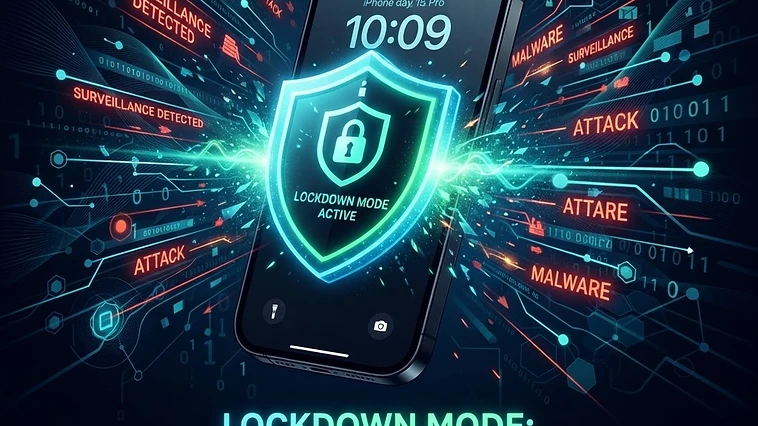
In September 2022, Apple introduced Lockdown Mode with iOS 16 — an optional, extreme security configuration designed for users who may be targeted by sophisticated mercenary spyware. It is the most aggressive mobile security feature ever shipped by a major platform.
Lockdown Mode represents a fundamental shift in Apple's security philosophy: rather than protecting all users equally, it provides a tiered defense where high-risk users can trade functionality for security.
What Lockdown Mode Does
When enabled, Lockdown Mode significantly restricts the device's attack surface:
Messages
- Blocks most message attachment types — most message attachments other than common images are blocked. This prevents exploits delivered through malicious PDFs, documents, and other file types.
- Blocks link previews — link previews in messages are disabled, preventing preview-generation exploits.
- Blocks unsolicited invitations — incoming iMessage invitations from unknown senders are blocked.
Web Browsing
- Disables JavaScript JIT — Just-In-Time JavaScript compilation is disabled in Safari, preventing a class of browser exploits. This may cause some websites to load slower or break.
- Blocks complex web technologies — certain complex web technologies that are common exploit vectors are disabled.
- Blocks fonts — custom web fonts are blocked, preventing font-parsing exploits.
Apple Services
- Blocks unsolicited invitations — FaceTime calls and iMessage invitations from numbers you haven't called are blocked.
- Blocks configuration profiles — MDM configuration profiles cannot be installed while Lockdown Mode is enabled. This prevents MDM-based spyware delivery.
Photos
- Removes location metadata — shared photos have location metadata stripped.
- Limits album sharing — shared album invitations are blocked.
Device Connections
- Blocks wired connections when locked — the device must be unlocked to connect via USB, preventing forensic tool exploitation.
- Blocks MDM enrollment — the device cannot be enrolled in MDM while Lockdown Mode is enabled.
Configuration
- Cannot be bypassed — once enabled, Lockdown Mode restrictions cannot be selectively bypassed by apps.
- Visible indicator — the device shows a Lockdown Mode indicator in settings.
What Lockdown Mode Does NOT Do
Lockdown Mode is not a complete security solution. It does not:
- Prevent social engineering — users can still be tricked into installing malicious apps through sideloading
- Prevent permission abuse — if a user grants dangerous permissions to a malicious app, Lockdown Mode doesn't prevent the abuse
- Protect against physical access — if someone has physical access to the unlocked device, Lockdown Mode doesn't help
- Block all network attacks — network-level attacks (MITM, DNS poisoning) are not fully prevented
- Replace basic security — users still need strong passwords, 2FA, and regular updates
Who Should Enable Lockdown Mode?
High-Risk Users (Strongly Recommended)
- Journalists — especially those covering corruption, national security, or human rights
- Activists — political activists, human rights defenders, environmental activists
- Politicians — elected officials and political campaign staff
- Executives — C-suite executives at major corporations
- Dissidents — individuals opposing authoritarian governments
- Researchers — security researchers and threat intelligence analysts
- Lawyers — attorneys handling sensitive cases (human rights, national security)
Medium-Risk Users (Consider Enabling)
- Business travelers — especially to high-risk countries
- Celebrities — public figures who may be targeted
- Wealthy individuals — potential targets for financial espionage
- Government employees — non-classified but potentially targeted
Low-Risk Users (Probably Not Necessary)
- Most everyday users do not need Lockdown Mode. The functionality trade-offs are significant, and the threat level for most users doesn't justify the restrictions.
How to Enable Lockdown Mode
- Open Settings
- Go to Privacy & Security
- Scroll down and tap Lockdown Mode
- Tap Turn On Lockdown Mode
- Confirm by tapping Turn On & Restart
- The device will restart with Lockdown Mode enabled
To disable, follow the same steps and select Turn Off Lockdown Mode.
The Trade-Offs
Lockdown Mode is not free — it comes with significant functionality trade-offs:
Usability Impact
- Websites may break — JavaScript-intensive sites may not work properly
- Messages lose features — no link previews, limited attachments
- FaceTime restrictions — can't receive calls from unknown numbers
- No shared albums — can't participate in shared photo albums
- No configuration profiles — can't install MDM or VPN profiles
Security Benefit
- Reduced attack surface — significantly fewer ways to exploit the device
- Blocks known attack vectors — prevents the delivery methods used by Pegasus and similar spyware
- Apple commitment — Apple has committed to expanding Lockdown Mode protections over time
Does It Actually Work?
Evidence from Real-World Use
Lockdown Mode has been credited with blocking or detecting spyware attacks:
- Citizen Lab has documented cases where Lockdown Mode blocked Pegasus delivery attempts
- Apple's threat notifications — Apple sends threat notifications to users who may have been targeted, and recommends Lockdown Mode
- Security researcher testing — researchers have confirmed that Lockdown Mode blocks known exploit techniques
Limitations
- Not a silver bullet — determined attackers may find ways around Lockdown Mode
- New attack vectors — as new attack methods are discovered, Lockdown Mode may need updates
- User behavior still matters — social engineering and permission abuse can still compromise a device in Lockdown Mode
Ongoing Improvement
Apple has expanded Lockdown Mode protections with each iOS release:
- iOS 16 — initial release with messages, web, and Apple services protections
- iOS 17 — added wireless carrier connections protection, safer media handling
- iOS 18 — expanded device connections and configuration protections
Lockdown Mode vs. ZeroDayRAT
Lockdown Mode is designed primarily to defend against mercenary spyware like Pegasus — zero-day, zero-click attacks. Against commercial spyware like ZeroDayRAT:
- Lockdown Mode helps — it blocks configuration profile installation, which is a delivery vector for iOS spyware
- But it's not sufficient alone — if a user is tricked into sideloading an app and granting permissions, Lockdown Mode doesn't prevent the abuse
- Basic security still needed — users still need to avoid sideloading, audit permissions, and practice good security hygiene
Best Practices for High-Risk Users
Enable Lockdown Mode
This is the single most effective iOS security setting for high-risk users.
Keep iOS Updated
Install iOS updates immediately. Lockdown Mode protections are expanded with each release, and security patches fix known vulnerabilities.
Avoid Sideloading
Do not install apps from outside the App Store. Enterprise-cert apps and configuration profiles are primary iOS spyware vectors.
Use a Hardware Security Key
For Apple ID and other supported accounts, use a hardware security key (YubiKey) for phishing-resistant 2FA.
Monitor for Threat Notifications
Apple sends threat notifications to users who may have been targeted by mercenary spyware. Take these notifications seriously and seek professional help if you receive one.
Use MVT for Forensic Analysis
If you suspect compromise, use MVT (Mobile Verification Toolkit) or seek professional forensic analysis.
Frequently Asked Questions
Does Lockdown Mode make my phone unusable?
No. Lockdown Mode restricts some features but the phone remains fully usable for most tasks. Some websites may load slower and some message features are limited, but core functionality is preserved.
Can I still use WhatsApp/Telegram/Signal with Lockdown Mode?
Yes. Lockdown Mode does not block third-party messaging apps. It only restricts Apple's built-in Messages and FaceTime services. Third-party apps work normally.
Does Lockdown Mode drain my battery faster?
No significant battery impact has been reported. Lockdown Mode restricts features rather than adding processing, so it may actually slightly improve battery life.
Should I enable Lockdown Mode on my work phone?
If your work phone is managed by MDM, check with your IT department first — Lockdown Mode blocks MDM enrollment and may conflict with corporate management. For personal devices used for work, it's generally safe to enable.