Simulation Environment
ZeroDayRAT Defensive Simulation Lab
A teaching environment for defenders. Every value shown is invented for training purposes; the lab connects to nothing and collects nothing.
Simulation Notice
Device
DemoPhone X
OS
TrainingOS 26
Battery
73%
Country
Simulation
SIM
Demo Carrier
Threat Level
Critical
Synthetic Recreation
What the Operator Sees — Synthetic Recreations
These images are original, AI-generated recreations of the ZeroDayRAT operator dashboard. They contain no real watermarks, no real contact information, and no real victim data — every device name, identifier, message, timestamp and coordinate is fabricated for educational purposes.
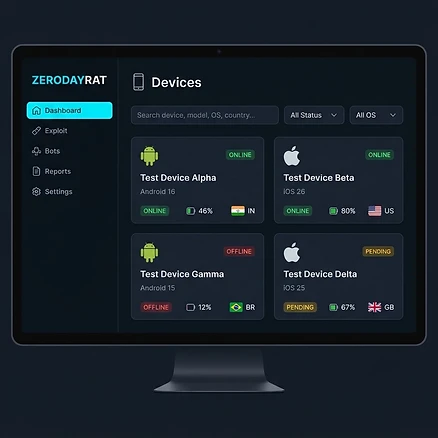
Operator Console — Device Fleet View
Recreation of the device management panel an operator would see. All device names, identifiers, carriers and status badges are synthetic. No real device data is depicted.

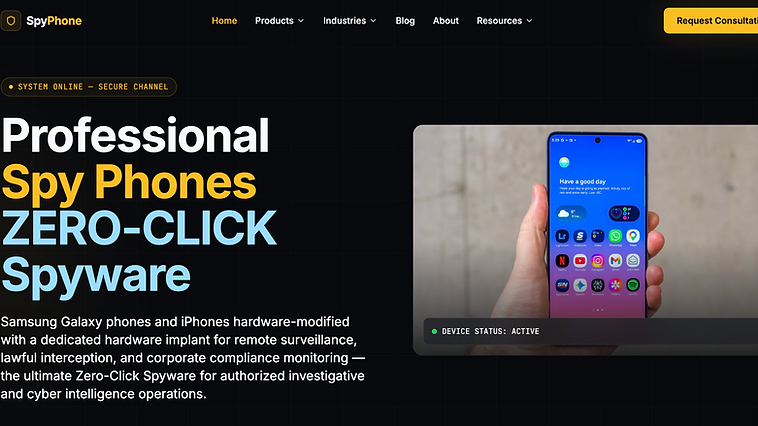
Join Our Community
ZeroDayRAT Intelligence on Telegram
Get real-time mobile spyware alerts, threat briefings, and defensive guidance.
Training Device 01 — Simulated Device View
Simulated device inventory
SIMULATED INVENTORY — no real device is queried.
- package: com.training.demo.helper — installed 2026-02-18 — source: unknown (simulated)
- accessibility_service: enabled — TrainingHelper (simulated)
- device_admin: enabled — TrainingHelper (simulated)
- battery_optimisation: exempted — TrainingHelper (simulated)
- os_patch_level: 4 months behind baseline (simulated)
SOC Panel — Simulated Telemetry
Accessibility service enabled by non-assistive application
Risk 88- Telemetry source
- MTD device posture / MDM configuration state
- Detection opportunity
- Alert on any accessibility enrolment that is not on an approved allow-list.
- Recommended response
- Isolate corporate access, capture device state, interview the user about the install pretext.
Application installed from unknown source
Risk 75- Telemetry source
- MDM install events / app provenance telemetry
- Detection opportunity
- Flag installs outside the managed catalogue on any device holding corporate identity.
- Recommended response
- Mark device non-compliant, block conditional access, begin triage.
Regular low-volume outbound beacon to rare domain
Risk 82- Telemetry source
- DNS security / network flow telemetry
- Detection opportunity
- Hunt for fleet-rare domains with regular resolution intervals rather than block-list matches.
- Recommended response
- Sinkhole or block the destination, preserve flow records, correlate with device timeline.
Notification listener enabled alongside SMS read access
Risk 79- Telemetry source
- MTD permission inventory
- Detection opportunity
- Detect permission combinations, not single grants — the combination is the signal.
- Recommended response
- Treat one-time codes as exposed; migrate the user to phishing-resistant MFA.
MFA prompt approved without user initiation
Risk 91- Telemetry source
- Identity provider sign-in and MFA telemetry
- Detection opportunity
- Correlate approval events with user-reported activity and device state.
- Recommended response
- Revoke sessions and refresh tokens, reset credentials from a clean device, audit mailbox rules.
Mailbox forwarding rule created to external address
Risk 86- Telemetry source
- Mail platform audit log
- Detection opportunity
- Alert on any externally targeted forwarding or delegate change.
- Recommended response
- Remove the rule, scope what was forwarded, notify affected parties per policy.
Camera and microphone sessions with no foreground app
Risk 84- Telemetry source
- OS permission-usage history / MTD
- Detection opportunity
- Compare sensor-usage records against foreground application history.
- Recommended response
- Preserve the device if the user is high-value; brief on physical-environment exposure.
Training Objective
The purpose of pairing the two panes is to teach defenders what signals might appear during a mobile spyware incident, and how a user-visible symptom maps to a telemetry source they can query. Work left to right: read the simulated device state, then find the corresponding alert, then justify the recommended response.
Support This Publisher