A Feature Designed for Good, Exploited for Harm
Android's Accessibility Service is one of the most powerful APIs on the platform. It was designed to help users with disabilities — reading screen content aloud, enabling alternative input methods, and automating tasks for users who cannot interact with a phone normally.
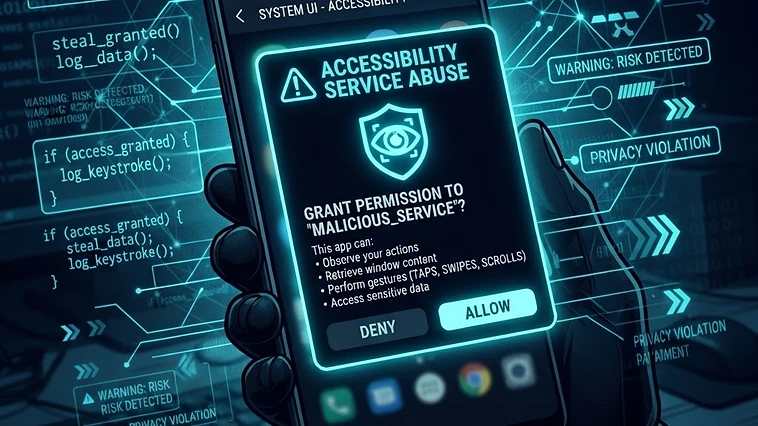
But this same power makes it the single most dangerous permission in the Android ecosystem for spyware purposes. An app with accessibility access can:
- Read all screen content — every text, password, and message displayed
- Intercept all input — every keystroke, tap, and gesture
- Perform actions on behalf of the user — click buttons, fill forms, grant permissions
- Read all notifications — including OTP codes and message previews
- Overlay other apps — display phishing interfaces over legitimate apps
This is not a theoretical risk. Accessibility abuse is the primary mechanism behind Android spyware including ZeroDayRAT, banking trojans, and stalkerware.
How Accessibility Abuse Works
The Permission Grant
When an app requests accessibility access, Android presents a warning dialog. The user must navigate to Settings > Accessibility, find the app, and enable it. This is a deliberate friction point — Android requires explicit user action.
However, social engineering can bypass this friction. Spyware operators use:
- Fake security updates — "Your phone is infected, enable accessibility to clean it"
- App updates — "Enable accessibility to update [legitimate app name]"
- Utility apps — "Enable accessibility for battery optimization / screen dimming"
- Gift card scams — "Enable accessibility to claim your reward"
Once granted, the permission persists across reboots and cannot be easily revoked without navigating back to Settings.
Screen Content Reading
The Accessibility Service receives accessibility events whenever the user interacts with any app. These events include:
- Window state changes — when a new app or screen is displayed
- Window content changes — when text is updated on screen
- View text — the actual text content of on-screen elements
- View bounds — the position and size of on-screen elements
By processing these events, a spyware app can reconstruct everything the user sees and does on their phone. This includes passwords entered in password fields (which are normally masked), messages in encrypted chat apps, and banking app content.
Input Interception (Keylogging)
The Accessibility Service can intercept input events before they reach the target app. This enables:
- Keylogging — capturing every character typed
- Gesture capture — recording swipe patterns and tap locations
- Form autofill manipulation — modifying data entered into forms
- Automated actions — clicking buttons and navigating menus
This is how Android spyware achieves keylogging without requiring a custom keyboard. The accessibility service can read typed input from any app, including password managers and banking apps.
Notification Access
Apps with accessibility access can read all notifications, including:
- SMS messages — full message content
- OTP codes — two-factor authentication codes displayed in notifications
- Messaging app previews — WhatsApp, Telegram, Signal message previews
- Email previews — subject and sender information
- Banking app notifications — transaction alerts and balance updates
This effectively defeats notification-based 2FA and exposes sensitive content from encrypted messaging apps.
Overlay Attacks
The SYSTEM_ALERT_WINDOW permission, combined with accessibility, enables sophisticated phishing:
- Credential phishing — display a fake login screen over a banking app
- Permission phishing — display a fake permission dialog to trick users into granting more permissions
- Content hiding — cover security warnings or detection alerts
Why Google Hasn't Fixed This
Google has made several attempts to restrict accessibility abuse:
- Play Store policy — apps requesting accessibility must declare a legitimate accessibility purpose
- Runtime restrictions — Android 13+ restricts some accessibility capabilities
- Play Protect — scans for apps that abuse accessibility
However, these measures are insufficient because:
- Sideloading bypasses Play Store policy — spyware is distributed outside the Play Store
- Legitimate apps need accessibility — screen readers, password managers, and automation tools genuinely need it
- Users can grant it manually — no technical mechanism can prevent a determined user from enabling it
- Rapid variant rotation — spyware developers modify their apps faster than Google can detect them
Defensive Strategies
For Users
- Audit accessibility services — Settings > Accessibility > check which apps have access
- Be suspicious of any app requesting accessibility — very few legitimate apps need it
- Never enable accessibility for "security" or "optimization" apps — these are almost always scams
- Use Google Play Protect — keep it enabled and updated
- Consider Advanced Protection Program — for high-risk users
For Enterprises
- MDM policies — restrict accessibility service grants on corporate devices
- MTD deployment — Mobile Threat Defense solutions detect accessibility abuse
- User education — train employees on social engineering tactics
- Monitoring — alert on devices with unexpected accessibility grants
For Security Researchers
- Monitor for apps requesting accessibility — this is a high-risk permission combination
- Analyze accessibility event handlers — look for data exfiltration patterns
- Correlate with network traffic — accessibility + network communication = potential spyware
Frequently Asked Questions
Can I disable accessibility services safely?
Yes. Go to Settings > Accessibility and disable any app you don't recognize or that shouldn't need accessibility. Screen readers (TalkBack) and legitimate password managers are safe to keep enabled.
Does iOS have an equivalent to Android accessibility abuse?
iOS does not have a direct equivalent. iOS accessibility features are more restricted and cannot read content from other apps. This is one reason iOS is generally more resistant to spyware.
How can I tell if an app is abusing accessibility?
Check Settings > Accessibility. Any app listed there that isn't a screen reader, password manager, or known accessibility tool is suspicious. Uninstall it immediately.
Will Google ever fix accessibility abuse?
Google has made incremental improvements but cannot fully restrict accessibility without breaking legitimate accessibility tools. The best defense is user awareness and permission auditing.