The iOS Attack Vector Hiding in Plain Sight
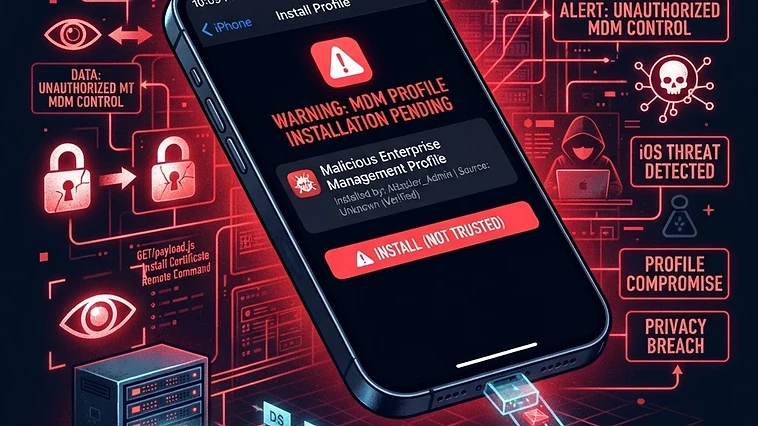
iOS is widely considered more secure than Android, but there's one attack vector that bypasses many of its protections: MDM (Mobile Device Management) configuration profiles. MDM profiles are designed for enterprise device management, but they can be abused to install spyware, enforce policies, and monitor iOS devices — all without jailbreaking.
What Are MDM Configuration Profiles?
Legitimate Use
MDM profiles are XML-based configuration files that allow organizations to enforce security policies, install apps, configure settings, restrict features, and monitor compliance.
The Abuse Vector
The same capabilities make MDM powerful for surveillance: install apps silently, enforce policies, configure VPN, install certificates for MITM attacks, and restrict features.
How MDM Profile Attacks Work
Delivery Methods
Attackers use social engineering: fake security alerts, phishing pages, app-side prompts, gift/reward scams, and enterprise enrollment.
The Installation Process
- User visits a phishing page or taps a link
- Profile is downloaded — iOS shows a profile download notification
- User navigates to Settings > Profile Downloaded
- User installs the profile — taps "Install" and enters passcode
- Profile is applied — MDM policies and apps take effect
What the Attacker Gains
- Install apps (push spyware)
- Configure VPN (route traffic through attacker's server)
- Install root certificates (enable HTTPS interception)
- Enforce restrictions (prevent removal)
- Monitor location
- Wipe the device remotely
Detecting MDM Profile Attacks
Check for Profiles
Settings > General > VPN & Device Management: Look for profiles you don't recognize, MDM enrollment you didn't set up, enterprise apps you don't recognize, and root certificates from unknown CAs.
Check for VPN Configuration
Settings > VPN & Device Management > VPN: Look for VPN configurations you didn't set up.
Check for Installed Certificates
Settings > General > About > Certificate Trust Settings: Look for root certificates you don't recognize.
Removing MDM Profiles
Standard Removal
Settings > General > VPN & Device Management > tap profile > Remove Profile > enter passcode > confirm.
If Removal Is Blocked
Check Screen Time restrictions, disable restrictions if possible, contact IT for corporate profiles, or factory reset as a last resort.
After Removal
Check for installed apps, VPN settings, certificates. Change passwords for accounts accessed from the device. Monitor for unauthorized access.
Preventing MDM Profile Attacks
Never Install Profiles from Unknown Sources
Only install profiles from your employer's IT, your school's IT, Apple, or your carrier. Never install from websites, SMS/email links, or apps.
Enable Lockdown Mode
iOS Lockdown Mode blocks MDM profile installation entirely — the strongest protection for high-risk users.
Be Wary of "Free" Services
Many MDM attacks are delivered through free VPN services, free streaming, gift card offers, or "free" security scanning.
Frequently Asked Questions
How do I know if I have an MDM profile?
Go to Settings > General > VPN & Device Management. Any profiles you don't recognize may be malicious.
Can MDM profiles survive a factory reset?
In most cases, a factory reset removes MDM profiles. However, DEP-enrolled devices may re-enroll after reset.
Does Lockdown Mode prevent MDM attacks?
Yes. iOS Lockdown Mode blocks configuration profile installation entirely.
Are MDM profiles only used for spyware?
No. MDM profiles are legitimate enterprise tools. The attack occurs when MDM is abused by malicious actors.