Your Phone Is a Surveillance Device
Modern smartphones are the most powerful surveillance devices ever created. They have:
- Multiple cameras (front and back) with high-resolution sensors
- Multiple microphones with noise cancellation
- GPS for precise location tracking
- Accelerometers, gyroscopes, magnetometers for motion sensing
- Constant network connectivity for data exfiltration
When a RAT (Remote Access Trojan) gains control of these sensors, your phone becomes a remote surveillance device — a bug that follows you everywhere, recording everything you see, hear, and do.
How RATs Access Camera and Microphone
Android
On Android, camera and microphone access requires explicit permissions:
- CAMERA permission — to take photos and record video
- RECORD_AUDIO permission — to record audio
- Foreground service — to keep recording in the background
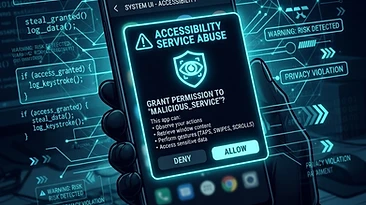
RATs obtain these permissions through social engineering:
- "Allow camera access for video calls"
- "Enable microphone for voice messages"
- "Grant camera for identity verification"
Once granted, the RAT can:
- Take photos silently — without shutter sound or preview
- Record video silently — without recording indicator
- Record audio silently — without microphone indicator
- Stream live audio/video — to the operator's C2 server
iOS
iOS has stricter controls:
- Camera indicator — green dot when camera is active (iOS 14+)
- Microphone indicator — orange dot when microphone is active (iOS 14+)
- App review — Apple reviews apps for misuse
- Sandboxing — apps are isolated
However, RATs can still access camera and microphone on iOS through:
- Jailbroken devices — full system access
- MDM profiles — enterprise management can grant access
- Enterprise cert apps — sideloaded apps with camera/mic access
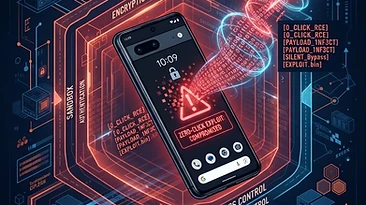
- Zero-day exploits — mercenary spyware can bypass indicators
What RATs Can Capture
Photos and Video
- Front camera — captures the user's face and surroundings
- Rear camera — captures what the user is looking at
- Screen — captures what's displayed on screen
- Time-lapse — periodic photos at intervals
- Motion-triggered — photos when motion is detected
Audio
- Continuous recording — 24/7 audio capture
- Voice-activated — recording when speech is detected
- Call recording — recording phone calls
- Ambient audio — recording surrounding sounds
- Keyword detection — alerting on specific words
Metadata
- Timestamp — when each capture occurred
- Location — GPS coordinates of each capture
- Device orientation — which way the phone was facing
- Network info — Wi-Fi, cellular, Bluetooth context
The Privacy Impact
Personal Privacy
Your most intimate moments can be captured without your knowledge — at home, at work, in the bathroom, in the bedroom. The recordings can be stored, reviewed, and shared by the operator.
Professional Privacy
Confidential meetings, trade secrets, client conversations, and strategic discussions can be recorded. This is particularly dangerous for journalists, lawyers, executives, and government officials.
Relationship Privacy
Private conversations with partners, family, and friends can be monitored. This is a primary use case for stalkerware — monitoring a partner's private conversations.
Location Privacy
Even without camera/microphone access, RATs can track your location through GPS, Wi-Fi, and cellular data, building a complete picture of your movements.
Detection Challenges
No Visible Indicators
On Android, RATs can capture photos and record audio without any visible indicator. The user has no way to know the camera or microphone is active.
iOS Indicators (Limited)
iOS 14+ shows green/orange dots when camera/microphone are active. However:
- Jailbroken devices may bypass these indicators
- MDM-managed devices may have different behavior
- Zero-day exploits can bypass indicators
- The indicator is small — users may not notice it
Battery and Data Signs
Camera and microphone surveillance consume significant battery and data. Signs include:
- Unexpected battery drain — camera/mic use is power-intensive
- Increased data usage — streaming audio/video uses data
- Device heating — continuous recording causes heat
- Storage usage — recorded files take up space
How to Detect Camera/Mic Surveillance
Android
- Check camera permission — Settings > Privacy > Permission Manager > Camera
- Check microphone permission — Settings > Privacy > Permission Manager > Microphone
- Review apps with camera/mic access — remove unknown apps
- Monitor battery usage — Settings > Battery > check for unusual usage
- Monitor data usage — Settings > Data Usage > check for unusual traffic
- Use MTD — Mobile Threat Defense solutions can detect camera/mic abuse
iOS
- Watch for indicators — green dot (camera), orange dot (microphone)
- Check camera/mic access — Settings > Privacy > Camera / Microphone
- Review apps with camera/mic access — remove unknown apps
- Monitor battery usage — Settings > Battery > check for unusual usage
- Use MVT — forensic analysis can detect known spyware
How to Prevent Camera/Mic Surveillance
Audit Permissions
Regularly check which apps have camera and microphone access. Remove access from apps that don't need it.
Use Camera Covers
Physical camera covers (sliders) prevent visual surveillance even if the RAT has camera permission. This is a simple, effective defense.
Disable Microphone When Not Needed
Some users disable microphone access for all apps except phone and messaging apps. This prevents ambient audio recording.
Use MTD/MDM
Enterprise MTD solutions can detect and alert on camera/mic abuse. MDM policies can restrict camera/mic access on corporate devices.
Keep Your Device Updated
OS updates include security patches that may prevent camera/mic bypass techniques.
Use Lockdown Mode (iOS)
iOS Lockdown Mode restricts some camera/mic capabilities and provides enhanced protection.
The ZeroDayRAT Connection
ZeroDayRAT reportedly includes camera and microphone surveillance capabilities. If your device is infected, the operator can:
- Take photos silently
- Record video silently
- Record audio continuously
- Stream live audio/video
- Access all recorded media
Frequently Asked Questions
Can someone watch me through my phone camera?
Yes. If a RAT has camera permission, it can take photos and record video without your knowledge. Use a camera cover for protection.
Can someone listen to me through my phone microphone?
Yes. If a RAT has microphone permission, it can record audio continuously without your knowledge.
How do I know if my camera or microphone is being used?
On iOS, watch for green (camera) and orange (microphone) dots. On Android, check battery/data usage and use MTD solutions.
Does a camera cover really help?
Yes. A physical camera cover prevents visual surveillance even if the RAT has camera permission. It's a simple, effective defense.
Can RATs bypass iOS camera/microphone indicators?
On non-jailbroken, non-MDM devices with current iOS, the indicators are reliable. Jailbroken devices, MDM-managed devices, and zero-day exploits may bypass them.