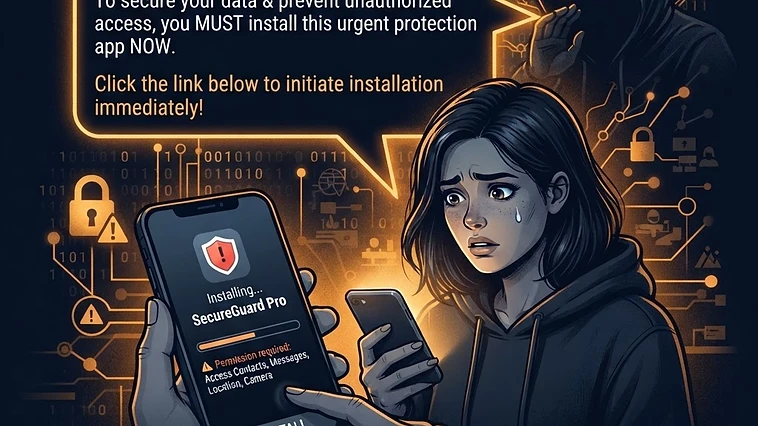
The Human Is the Vulnerability
Most mobile spyware doesn't need zero-day exploits or sophisticated technical attacks. Instead, it exploits the most vulnerable component of any security system: the human user.
Social engineering — the art of manipulating people into performing actions or divulging information — is the primary delivery vector for commercial mobile spyware like ZeroDayRAT. Understanding the psychology behind these attacks is essential for defense, because technical controls alone cannot prevent social engineering.
Why Social Engineering Works
Cognitive Biases
Social engineers exploit fundamental cognitive biases:
Authority Bias People tend to comply with requests from perceived authority figures. Attackers impersonate:
- IT security staff ("This is IT, we need to update your device")
- Law enforcement ("This is the police, install this for investigation")
- Company executives ("This is the CEO, install this for corporate access")
- Technical support ("This is Google/Apple support, install this update")
Urgency People make poorer decisions under time pressure. Attackers create urgency:
- "Your account will be locked in 24 hours"
- "Your device has a virus that must be removed immediately"
- "This security update expires today"
- "Your package will be returned if you don't act now"
Scarcity People value things that are scarce. Attackers use:
- "Only 3 spots left for this free offer"
- "Limited time discount on this security app"
- "Exclusive access for the first 100 users"
Social Proof People follow the behavior of others. Attackers use:
- "Over 1 million users have installed this app"
- "Rated 4.5 stars by 10,000 users"
- "Recommended by security experts"
Reciprocity People feel obligated to return favors. Attackers use:
- "Free security scan — install this to get your free scan"
- "Free gift for installing our app"
- "Free trial — no credit card required"
Emotional Manipulation
Fear Fear is the most powerful emotion for social engineering:
- "Your device is infected with a virus"
- "Your bank account has been compromised"
- "Your photos are being shared without your consent"
- "Your identity has been stolen"
Curiosity Curiosity drives people to click and install:
- "You have 3 unread messages — install to read"
- "Someone is tracking your location — install to see who"
- "Your partner is cheating — install to see evidence"
Greed Financial incentives motivate action:
- "You've won a $1,000 gift card"
- "Earn $500/day from your phone"
- "Free cryptocurrency — just install this app"
Desire for Belonging Social connection drives behavior:
- "Your friends are using this app"
- "Join the community — install to connect"
- "See what people are saying about you"
Common Social Engineering Techniques for Mobile Spyware
Fake Security Alerts
The most common technique:
- "Your device has 5 viruses — install [app] to remove them"
- "Your battery is infected — install [app] to fix"
- "Your device is being tracked — install [app] to stop tracking"
These create fear and urgency, driving the user to install the "solution" — which is actually the spyware.
Fake App Updates
Exploiting trust in legitimate apps:
- "Update WhatsApp to continue using it"
- "Install the latest Google Play update"
- "Your [app] is out of date — update now"
The "update" is actually the spyware, but the user trusts the familiar app name.
Phishing Links
Links in SMS, email, or messaging apps:
- "Track your package: [link]" — leads to spyware download
- "Verify your account: [link]" — leads to credential phishing + spyware
- "View your photos: [link]" — leads to spyware download
Gift and Reward Scams
Exploiting greed:
- "You've won a $500 Amazon gift card — install to claim"
- "Free iPhone — install this app to enter"
- "Earn money from your phone — install to start"
Romantic and Social Engineering
Exploiting personal relationships:
- "I sent you photos — install this app to view"
- "Let's video chat — install this app"
- "I made you a collage — install to see"
Utility Apps
Disguising spyware as useful tools:
- Battery optimizers
- Cache cleaners
- Antivirus apps
- VPN apps
- Flashlight apps
- QR code scanners
The Permission Grant Psychology
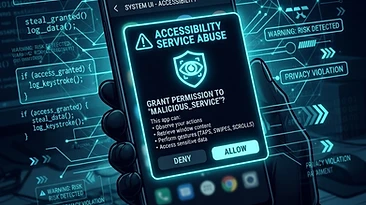
After installation, the spyware needs permissions. Social engineering continues:
Accessibility
- "Enable accessibility for battery optimization"
- "Enable accessibility to fix [app name]"
- "Enable accessibility for screen dimming"
SMS
- "Enable SMS access to back up your messages"
- "Enable SMS for verification"
Notifications
- "Enable notifications for security alerts"
- "Enable notifications for message backup"
Overlay
- "Enable overlay for floating notifications"
- "Enable overlay for screen recording"
Device Admin
- "Enable device admin for anti-theft protection"
- "Enable device admin for security scanning"
Each request is framed as a legitimate need, but the actual purpose is surveillance.
How to Defend Against Social Engineering
Education
The most effective defense is education:
- Recognize the techniques — understand authority bias, urgency, fear, curiosity
- Verify before acting — don't trust unsolicited messages
- Question permissions — why does this app need accessibility?
- Use official channels — only download from official app stores
- Report suspicious activity — tell IT or security team
Technical Controls
- Block sideloading — prevent installation from outside official stores
- MDM policies — restrict app installation and permissions
- MTD solutions — detect social engineering patterns
- Play Protect — scan sideloaded apps
- Advanced Protection — block most sideloaded apps
Organizational Controls
- Security awareness training — regular training on social engineering
- Phishing simulations — test users with simulated attacks
- Clear reporting procedures — make it easy to report suspicious activity
- Executive briefings — special training for high-risk individuals
- Incident response — have a plan for responding to social engineering attacks
Personal Habits
- Slow down — don't act on urgency
- Verify independently — contact the organization through official channels
- Be skeptical — if it seems too good to be true, it is
- Check permissions — question why an app needs each permission
- Use official stores — only download from Google Play or App Store
The ZeroDayRAT Social Engineering Playbook
Based on public reporting, ZeroDayRAT is delivered through social engineering:
- Fake security alerts — "Your device is infected"
- Fake app updates — "Update [app name] to continue"
- Phishing links — in SMS, email, and messaging apps
- Utility app disguise — battery saver, cleaner, security app
- Romantic social engineering — "I sent you photos"
The social engineering is sophisticated, professional, and tailored to the target audience. This is not amateur phishing — it's a professional operation.
Frequently Asked Questions
Why do people fall for social engineering?
Social engineering exploits fundamental human psychology — cognitive biases, emotions, and social instincts. Even security-aware people can be fooled by well-crafted attacks.
Can technical controls prevent social engineering?
Technical controls (MDM, MTD, Play Protect) reduce risk significantly but cannot prevent all social engineering. Education is the most effective defense.
How can I tell if a message is social engineering?
Look for: urgency, fear, authority claims, requests for permissions, requests to install apps, links to unknown sites, and offers that seem too good to be true.
What should I do if I think I've been socially engineered?
Stop and assess. Don't grant permissions. Don't install apps. Report to IT or security team. If you've already installed something, audit permissions and consider factory reset.