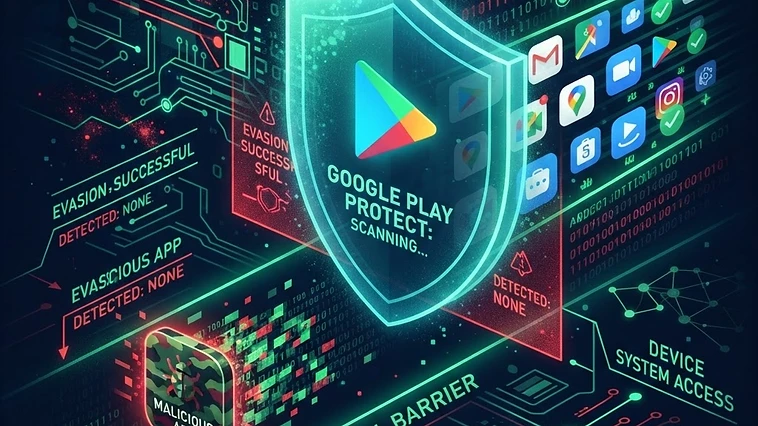
The Cat-and-Mouse Game
Google Play Protect is the world's largest mobile security scanner, analyzing billions of apps daily. It uses machine learning, signature detection, and behavioral analysis. But spyware developers have evolved sophisticated evasion techniques to bypass it.
How Google Play Protect Works
Scanning Coverage
Play Protect scans apps in Google Play (before and after publication), sideloaded apps, apps on the device (continuous), and some network traffic.
Detection Methods
- Signature detection — compares apps to known malware signatures
- Machine learning — behavioral analysis models
- Heuristic analysis — identifies suspicious patterns
- Cloud analysis — server-side analysis
- User reports — uses community reports
Evasion Techniques Used by Mobile Spyware
Code Obfuscation
ProGuard/R8, custom obfuscation, string encryption, control flow obfuscation, and dead code insertion make analysis difficult.
Dynamic Code Loading
Dex loading at runtime, native libraries, reflection, and packers load malicious code after installation to avoid static analysis.
Delayed Execution
Time-based delays, network-based triggers, event-based triggers, and human interaction triggers delay malicious behavior to avoid sandbox analysis.
Environment Detection
Emulator detection, root detection, debugger detection, Play Protect detection, and virtual environment detection allow spyware to disable behavior in analysis environments.
Polymorphic Code
Variable renaming, code reordering, junk code insertion, and different encryption keys make each variant look different, defeating signature-based detection.
C2 Infrastructure Rotation
Domain generation algorithms (DGA), fast flux, bulletproof hosting, cloud services, and social media for C2 communication avoid blocking.
Legitimate App Mimicry
System app names, system app icons, legitimate app clones, and utility app disguises help spyware blend in.
Real-World Evasion Examples
Anatsa Banking Trojan
Used delayed payload download, distributed through seemingly legitimate Play Store apps, and staged attacks.
FluBot
Rapid variant rotation (new variants every few days), SMS-based distribution, and accessibility abuse.
Joker Malware
Minimal payload, delayed activation, and cloud-based C2 communication.
Why Play Protect Isn't Enough
Detection Lag
There's always a lag between when new malware appears and when Play Protect can detect it.
Evasion Success
Sophisticated spyware can evade Play Protect for weeks or months.
Sideloaded Apps
Play Protect can be disabled for sideloaded apps.
False Sense of Security
Users who rely solely on Play Protect may have a false sense of security.
What Users Should Do
Don't Rely on Play Protect Alone
Use permission auditing, MTD solutions, user education, and network monitoring.
Keep Play Protect Enabled
Don't disable it, even when instructed by an app or website.
Avoid Sideloading
Only install apps from the Google Play Store.
Use Advanced Protection
Google's Advanced Protection Program blocks most sideloaded apps and requires hardware security keys.
Frequently Asked Questions
Can Play Protect detect ZeroDayRAT?
Play Protect may detect known variants, but new variants may evade detection. Permission auditing is more reliable.
Should I use a third-party antivirus on Android?
Third-party antivirus can help, but permission auditing and behavioral monitoring are more effective.
How often does Play Protect scan my device?
Play Protect continuously scans and performs regular full scans.
Can spyware disable Play Protect?
On non-rooted devices, no. On rooted devices, it can be disabled.