How ZeroDayRAT Reaches a Phone
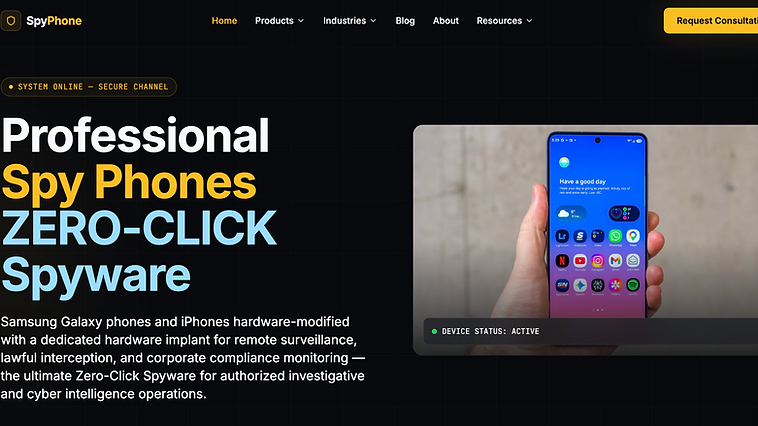
ZeroDayRAT does not use zero-click exploits. Every documented delivery path requires some form of user interaction. This is actually good news for defenders, it means user education and platform controls can stop most infections before they start. The bad news is that social engineering is effective, and the operators behind ZeroDayRAT have shown a willingness to tailor their lures to specific targets.
Based on analysis by the ZeroDayRAT Intelligence Center and corroborating research from Cyberthint and ThaiCERT, the primary delivery vectors for ZeroDayRAT are sideloaded APKs, phishing messages, and social engineering through messaging apps. The infection chain is straightforward but effective, and understanding each stage is the key to blocking it.
Vector 1: Sideloaded APK Distribution
How It Works
The most common delivery path for ZeroDayRAT on Android is the sideloaded APK. The victim receives a link to an APK file, downloads it, and installs it after bypassing Android's unknown-source warning. The APK is typically disguised as a legitimate app, a system update, a utility tool, or a media file.
The seller provides buyers with a builder that generates APK packages, and the buyer is responsible for distribution. This means the lures vary widely depending on who is operating the campaign. Some use generic lures like "battery optimizer" or "flashlight," while others use targeted lures tailored to a specific victim.
Why Sideloaded Apps Work
Android allows installation from unknown sources, which is a feature, not a bug. But it comes with risk. The Play Store's review process is not perfect, but it catches a lot of malware. Sideloaded APKs have no such gate. The user is the gate, and most users are not security researchers.
Modern Android versions show a warning when installing from unknown sources, but the warning is often dismissed because the user was told to install the app by someone they trust, or because the app appears to be something they want. This is the social engineering layer that makes sideloading effective.
How to Block It
For individuals, the simplest defense is to never install apps from outside the Play Store unless you absolutely trust the source. For organizations, MDM policies that block sideloading entirely are the most effective control. Android Enterprise allows you to restrict app installation to managed sources, which eliminates this vector for managed devices.
For more on Android-specific defenses, see our Android security guide.
Vector 2: Phishing Messages
SMS and Messaging App Phishing
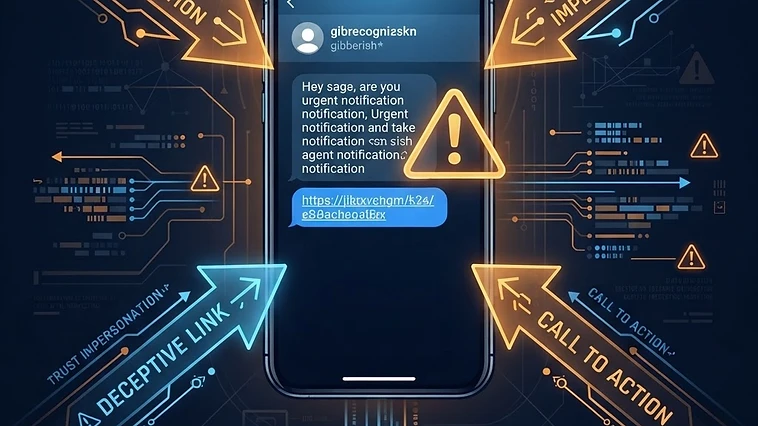
ZeroDayRAT operators use phishing messages to deliver the malicious APK link. The messages are crafted to create urgency or curiosity. Examples documented by researchers include messages claiming to be package delivery notifications, security alerts, banking verification requests, and even romantic or social engineering lures.
The phishing message contains a link to a landing page that hosts the APK, or in some cases, the link points to a cloud storage service where the APK is hosted. The landing page is designed to look legitimate, sometimes copying the branding of a real service.
Telegram as a Delivery Channel
Telegram is a common channel for ZeroDayRAT distribution, both for the seller marketing the product and for operators delivering the payload. The seller promotes ZeroDayRAT through Telegram channels, and some operators use Telegram to send phishing links to targets. Telegram's combination of anonymity, file sharing, and large group support makes it attractive for this purpose.
Our analysis of the Telegram commercial spyware ecosystem covers this in detail.
How to Block It
User education is the primary defense against phishing. Teach users to be suspicious of unexpected links, especially those that lead to APK downloads. For organizations, mobile threat defense (MTD) solutions can detect and block phishing URLs on mobile devices. DNS filtering can also block known malicious domains at the network level.
Vector 3: Social Engineering
The Human Layer
Social engineering is the thread that ties all ZeroDayRAT delivery vectors together. The technical mechanism changes, but the human manipulation is constant. The operator needs the victim to download the APK, install it, and grant permissions. Each step requires the victim's cooperation, and social engineering is how that cooperation is obtained.
For targeted attacks, the social engineering can be sophisticated. The operator may research the target on social media, craft a lure that references the target's interests or contacts, and deliver it through a channel the target trusts. For mass campaigns, the lures are generic but sent at scale.
The Permission Grant
Once the APK is installed, the spyware needs permissions. This is the second social engineering moment. Android shows permission prompts, and the user must grant them. The spyware typically explains why it needs each permission with a plausible justification, or it simply refuses to function until permissions are granted.
The most dangerous permission is accessibility. Once granted, the spyware can read the screen, inject events, and access other app content. From there, it can intercept OTPs, capture credentials, and maintain persistence. For a full breakdown of how accessibility is abused, see our Android accessibility spyware vector analysis.
How to Block It
Permission education is critical. Users should understand that accessibility is not a normal permission and should never be granted to apps they do not completely trust. Android 13 and later restrict accessibility access more aggressively, but the user is still the final decision maker. For organizations, MDM can restrict dangerous permissions on managed devices.
Vector 4: iOS Delivery (Reported, Unconfirmed)
The iOS Challenge
iOS delivery of ZeroDayRAT is less documented than Android. The seller advertises an iOS version, but the technical constraints of iOS make silent delivery very difficult. Apple's code signing, sandboxing, and App Store review process create barriers that Android does not have.
Reported Methods
The delivery methods Reported for iOS include MDM profile abuse, where the operator tricks the user into installing a malicious configuration profile, and enterprise certificate abuse, where the operator uses a stolen or misused enterprise certificate to sign the app. Both require social engineering to get the user to install the profile or trust the certificate.
Neither method has been independently confirmed in ZeroDayRAT specifically. We classify iOS delivery as Reported and Unconfirmed. For more on iOS-specific threats, see our iOS security guide.
How to Block It
For iOS, the most effective defense is to never install configuration profiles from untrusted sources and to check Settings > General > VPN and Device Management for unexpected profiles. For high-risk users, Lockdown Mode significantly restricts the attack surface. See our iOS Lockdown Mode analysis for details.
The Full Infection Chain
Stage 1: Delivery
The victim receives a phishing message or social engineering lure containing a link to the APK. This is the first opportunity for detection, at the network layer, if the phishing URL is known, or at the user layer, if the user recognizes the lure.
Stage 2: Download and Install
The victim downloads the APK and installs it after bypassing the unknown-source warning. This is the second opportunity, MDM can block sideloading, and MTD can detect the malicious APK.
Stage 3: Permission Grant
The spyware requests permissions, starting with the less suspicious ones and escalating to accessibility. This is the third opportunity, user education can prevent the permission grant, and Android's permission throttling can slow the escalation.
Stage 4: C2 Connection
The implant connects to the C2 server and begins beaconing. This is the fourth opportunity, network detection can identify the C2 communication, and DNS filtering can block the connection.
Stage 5: Data Collection and Exfiltration
The implant begins collecting data and sending it to the C2. This is the final opportunity, behavioral detection can identify the data exfiltration pattern, and DLP can flag sensitive data leaving the device.
For the full attack chain with defender visibility at each stage, see our attack chain analysis.
Defensive Recommendations
For Individuals
Never install apps from outside the Play Store or App Store unless you absolutely trust the source. Be suspicious of unexpected messages with links, especially those that lead to app downloads. Audit your installed apps and permissions regularly. Check accessibility settings for unknown apps. For high-risk users, enable Lockdown Mode on iOS or use Android's advanced protection features.
For Organizations
Deploy MDM to manage mobile devices and restrict sideloading. Deploy MTD to detect phishing and malicious apps. Educate users on mobile phishing and permission risks. Monitor network traffic for C2 communication. Build mobile-specific incident response playbooks. For the full enterprise guidance, see our enterprise risk guide.
For the Security Community
Share IOCs through MISP and other threat intelligence platforms. Report new ZeroDayRAT infrastructure to the ZeroDayRAT Intelligence Center through our contact page. Collaborate on detection rules and behavioral indicators.
Frequently Asked Questions
How does ZeroDayRAT get installed?
ZeroDayRAT is typically installed through a sideloaded APK that the victim downloads after receiving a phishing message or social engineering lure. The victim must manually install the app and grant permissions. There is no confirmed zero-click delivery path.
Can ZeroDayRAT infect my phone without me knowing?
ZeroDayRAT requires user interaction to install, but the installation can be disguised. The app may hide its icon after installation, and the permissions may be granted through social engineering. The user technically installed it, but may not realize what they installed.
Does ZeroDayRAT spread through WhatsApp or Telegram?
ZeroDayRAT operators use messaging apps including WhatsApp and Telegram to deliver phishing links that lead to the APK download. The messaging apps themselves are not compromised, the threat is the malicious link and the social engineering around it.
How do I protect myself from ZeroDayRAT?
Do not install apps from outside the Play Store or App Store. Be suspicious of unexpected links in messages. Audit your installed apps and permissions regularly. Check accessibility settings for unknown apps. Use Lockdown Mode on iOS if you are a high-risk user.
Is ZeroDayRAT delivered through zero-click?
No. Despite the name, ZeroDayRAT does not use zero-click delivery. All documented infection paths require the user to download and install an APK and grant permissions. The name is a marketing label, not a technical description.